
Views
The functionality and options available on the left-hand side will depend on the user type within OneStudent.
OneStudent has three user types:
- Administrators,
- Head of Departments (HOD’s), and
- Teachers.
OneStudent brings all the students’ academic marking data together in a single portal, providing a global view.
- Head of Departments (HOD’s) have access to their relevant departments
- Teachers have access to their relevant subjects, and
- Administrators have access to see the full picture.
OneStudent – Administrator View
Lets look at the Administrator view in OneStudent.
Example of OneStudent Administrator View:
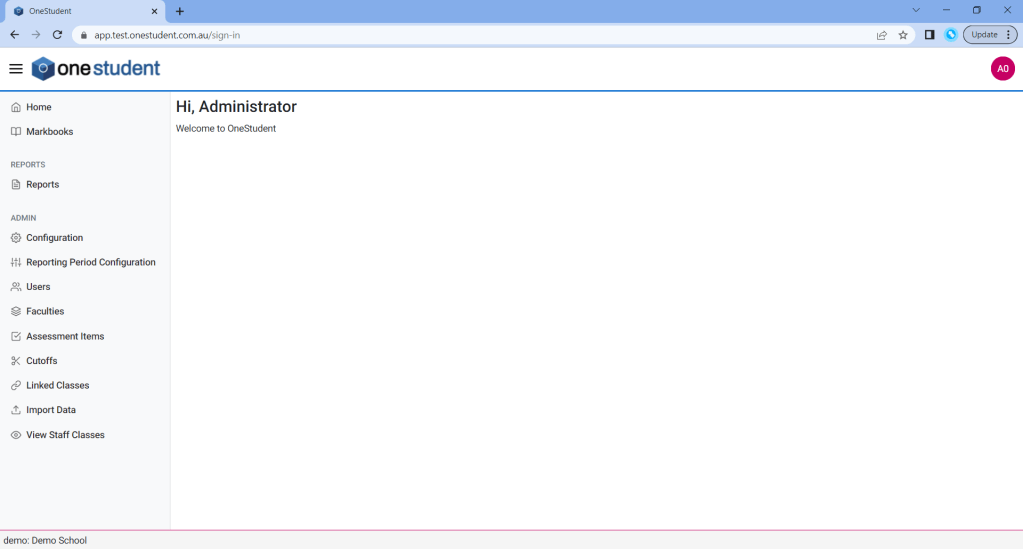
The OneStudent Administrator user has a global view of the schools OneStudent.
This user is responsible for the administration, configuration, and management of the OneStudent solutions.
The functionality and options available to the Administrator user are:
- Home
- Markbooks
- Reports
- Configuration
- Reporting Period Configuration
- Users
- Faculties
- Assessment Items
- Cutoffs
- Linked Classes
- Import Data
- View Staff Classes
OneStudent – Head of Department (HOD) View
Lets look at the Head of Department view in OneStudent.
Example of OneStudent Head of Department View:
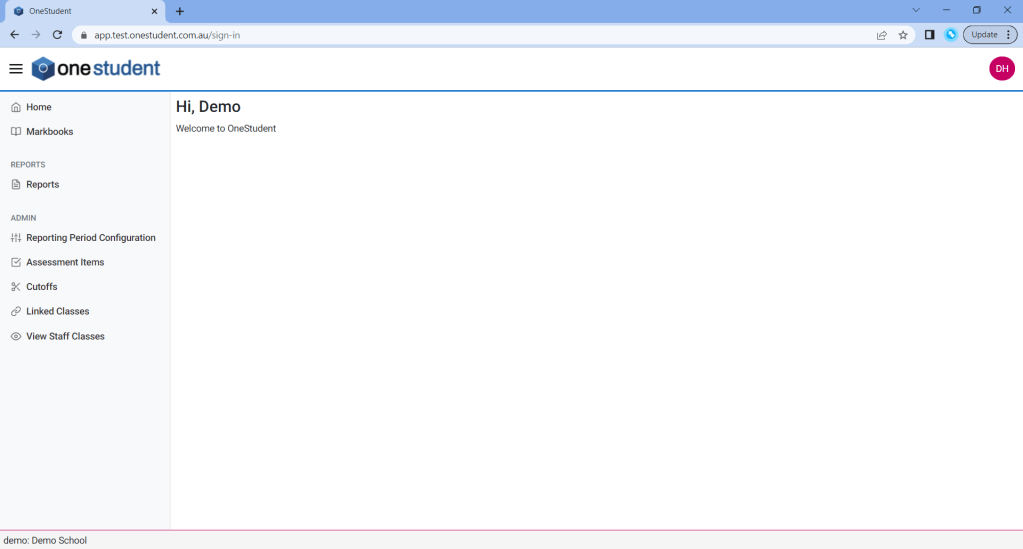
The OneStudent Head of Department user has a view of their relevant departments within the schools. This user has administration and configuration functionality; however the access is limited to only their relevant departments.
This user is responsible for some administration, configuration and management of the OneStudent data for their department. They have overall responsibility for their facilities data and reporting.
The functionality and options available to the Head of Department user are:
- Home
- Markbooks
- Reports
- Reporting Period Configuration
- Assessment Items
- Cutoofs
- Linked Classes
- View Staff Classes
Teacher View
Lets look at the Teacher view in OneStudent.
Example of OneStudent Techer View:
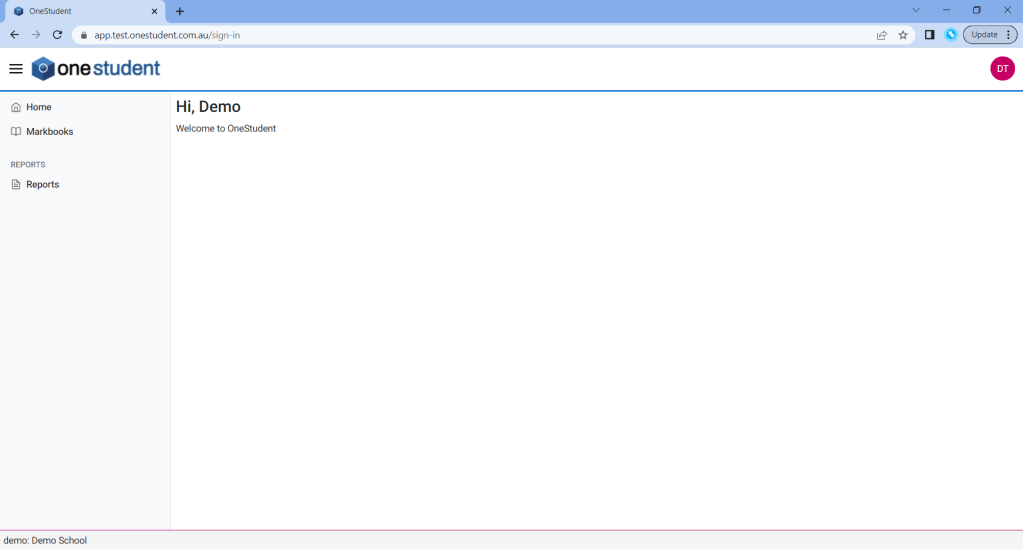
The OneStudent Teacher user has a view of their relevant subjects, individual classes, and reports.
This user is responsible for populating, management, and reporting of the markbooks assigned to them within their faculty or facilities.
The functionality and options available to the Teacher user are:
- Home
- Markbooks
- Reports
 OneStudent