
Faculties
Faculties – Functionality & Options
The Faculties – Manage Faculties page allows the Administrator to manage the list of faculties at the school. For example, assigning the Head of Departments to their individual faculties or deleting a faculty that is no longer offered at the school.
The options available are:
- Add Faculty – which allows an Administrator to add a faculty.
- Delete Faculty – which allows an Administrator to delete a user.
- Download CSV, this can be used to make bulk updated and can be uploaded via the Import Data page.
- Selecting on the individual faculty to display the faculty profile.
The Faculty Profile is where the Head of Department is assigned, plus the relationship between subjects and departments are defined.
Example of OneStudent – Faculties – Manage Faculties page:
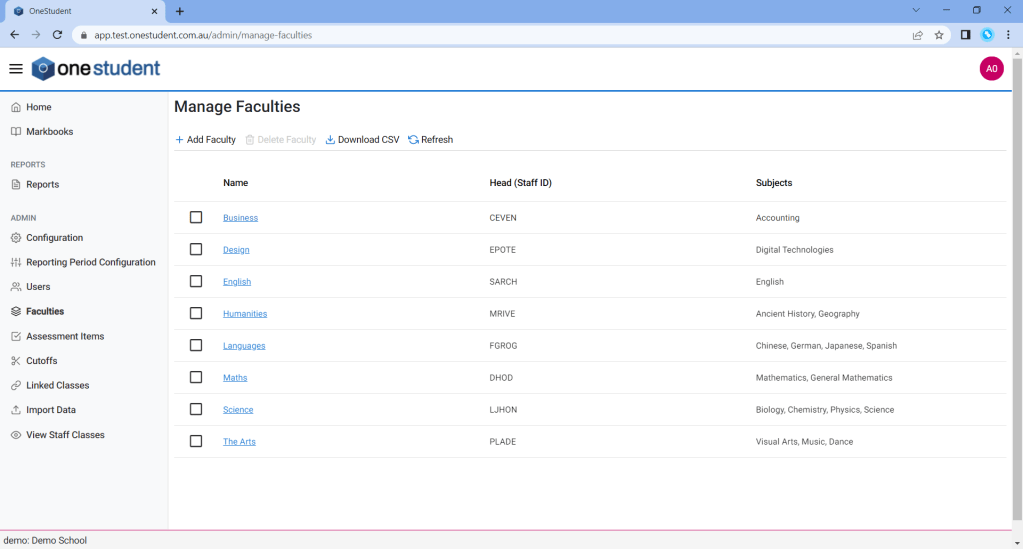
Example of OneStudent – Faculties – Manage Faculties page with Faculty selected (Faculty Profile):

Example of a Production environment with an extensive list – Faculties – Manage Faculties page with Faculty selected (Faculty Profile)

Faculties – Add Faculty
To Add Faculty:
- From the Faculties page.
- Select Add Faculty.
- A new Faculty Profile will be displayed.
- Enter relevant data as required.
- Once completed select Save.
- OneStudent will display a success message to indicate the changes have been recorded.
Faculties – Modifications
To Modify Faculties:
- From the Faculties page.
- Select the relevant Faculty.
- The Faculty Profile will be displayed.
- Update as required.
- Once completed select Save.
- OneStudent will display a success message to indicate the changes have been recorded.
Faculties – Delete Faculty
To Delete Faculty:
- From the Faculty page.
- Tag the relevant Faculty to be deleted.
- Select Faculty User.
- Message boxes is displayed, “Are you sure you want to delete faculty: ?
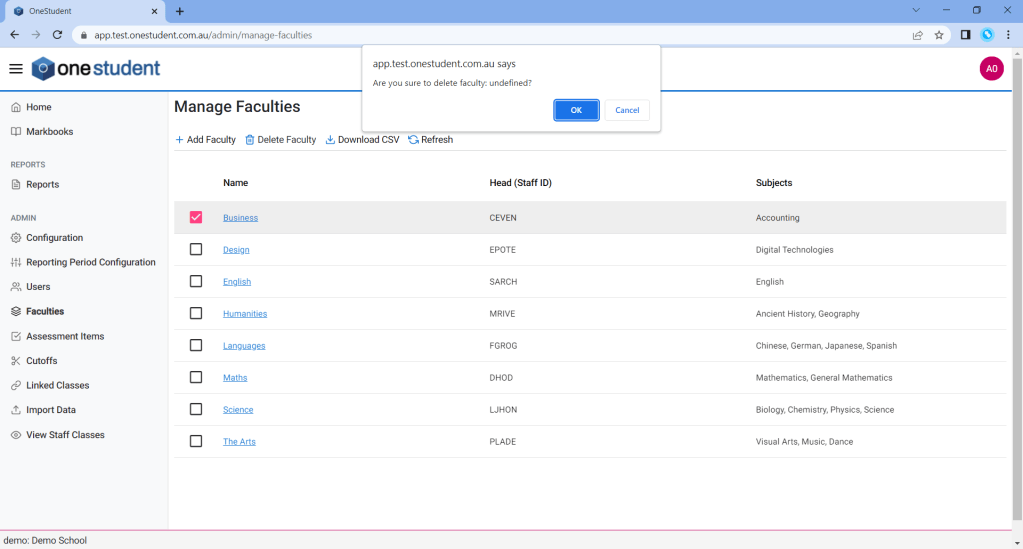
- Select Ok.
- OneStudent will display a success message to indicate the deletion have been recorded.
 OneStudent